
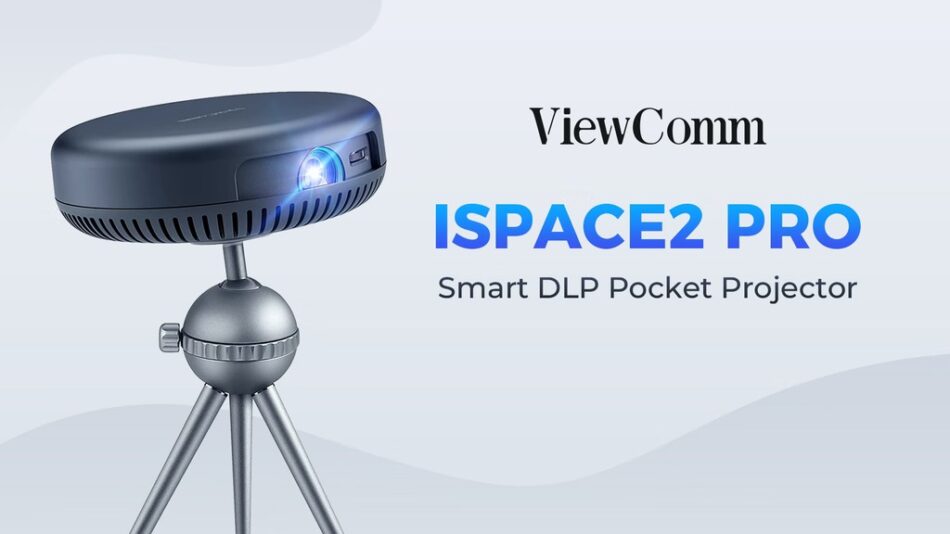
One Second Wake-up | Android 9.0 | App-Control Intelligent | 360° Rotating Viewing | WiFi Connection | Bluetooth Speaker
Check on Kickstarter
So far, using conventional projectors because you need them, not because they’re great. We know, we’ve done our homework. Our R&D team heard your concerns:

That’s why iSpace2 Pro responds to all these concerns with features that make it an outstanding projector like no other.


Measuring only 130mm x 42mm, and weighing only 425g, iSpace2 Pro is as compact and lightweight as it gets. It’s only 42mm which is thin enough that fits into your back pocket—making it literally the most portable projector ever. Featuring a circular metal design created for extreme portability, this is the extremely compact and easy-to-carry projector you always wanted to have.


Forget about old and dull projectors that were nothing but mechanical tools with limited functionalities. iSpace2 Pro is built with a simple and user-friendly Android 9 operating system that makes it compatible with other Android devices, such as smartphones, along with being compatible with most computers and multiple apps.


You can control iSpace2 pro through the mobile app, which is a brand-new intelligence and enjoys the convenience brought by technology. It also allows for your phone, tablet, or computer screen to be mirrored by iSpace2 Pro—something unprecedented in the world of projectors.


From device synchronization to data sharing and transfers, you can use iSpace2 Pro’s three ports—USB, HDMI, and Type-C to make sure that, whatever happens, you’re connected.

From a camera to a smartphone, not forgetting your computer, tablet, or even memory drive, three peripherals equate to a world of connectivity and projection opportunities.


As a projector, iSpace 2 Pro comes with a remote control similar to the one used to control a TV. That’s how you can operate its Projection Mode.

On the other hand, by rotating its top cover, you’ll be switching the device to the Bluetooth Speaker Mode—which is still controlled with the remote control to raise or lower the volume of the Bluetooth speaker.

When in Bluetooth Speaker mode, iSpace2 Pro will allow you to enjoy a 6W High-Fidelity inverted tube cavity sound, offering an immersive experience of sound that you can dive into anywhere.


You can use iSpace2 Pro with or without its tripod. Simply attach it in a heartbeat by bringing the top support of the tripod close to the round metal sheet at the bottom of the main unit. They’ll be instantly magnetically attached—just as easily as you can detach both parts by pulling them apart.


When attached, the tripod head will rotate 360 degrees and will tilt to 90 degrees, offering innovative possibilities in terms of angles to explore—without ever compromising the quality of images. The device’s automatic intelligent keystone correction requires no adjustments, even if the content is displayed diagonally or on the ceiling. The images will suffer no distortion, and you’ll enjoy a viewing experience that only iSpace2 Pro can offer.

Whenever you adjust the projection angle of iSpace2 pro, it can automatically adjust the tilt of the projection, bringing you a perfect viewing experience.


Unlike conventional projectors, iSpace2 Pro is a mini-computer with an Android 9 system that allows you to download and use several applications—among which YouTube, Netflix, and others, allowing you to project and watch videos and movies like never before.


