
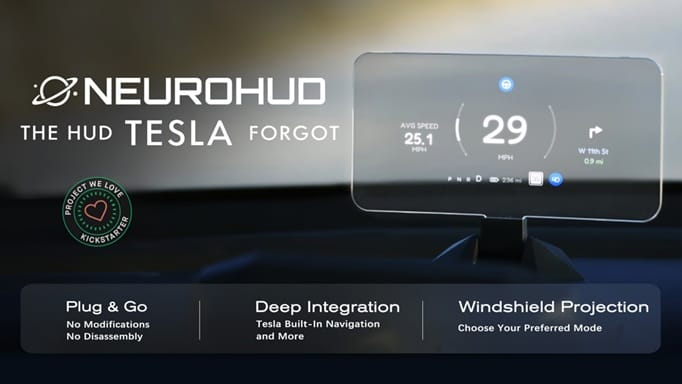
No Wiring Modification | Tesla Navigation Integrated | Blindspot Alert | Windshield Projection | Customizable UI | HomeControl
Check on Kickstarter


NeuroHUD syncs with Tesla’s built-in navigation, real-time driving data, blind-spot alerts, and takeover warnings.


NeuroHUD features a modular Light Engine design, letting you switch freely between mirror and windshield projection. Use Combiner Mode for the best image quality, or Windshield Mode for the most seamless integration.


NeuroHUD requires no disassembly and no wiring modifications. Just clip the compute module behind the screen, plug in USB power, and you’re up and running. Our AI cameras read high-frequency data (like speed) at 50 Hz, while lower-frequency vehicle data is pulled via the Tesla API.


It combines an RF remote with GPS, learns your garage door signal, and automatically triggers it as you pull into your driveway—or lets you open it manually with a physical button.


NeuroHUD offers customization at multiple levels.
Mobile App
You can easily toggle individual UI elements on or off in the mobile app.

UI Editor
For deeper customization, our editor lets you fine-tune the size and position of each element. For advanced users, our API data interface also makes it possible to build your own UI renderer (coding required).

UI Community
You can share your creations with the community anytime, anywhere, or download layouts made by other users. This makes it easy to discover new ideas and build a HUD experience that fits your preferences perfectly.


Turn your HUD into a second screen for your phone—project your favorite navigation app directly onto the HUD.


