
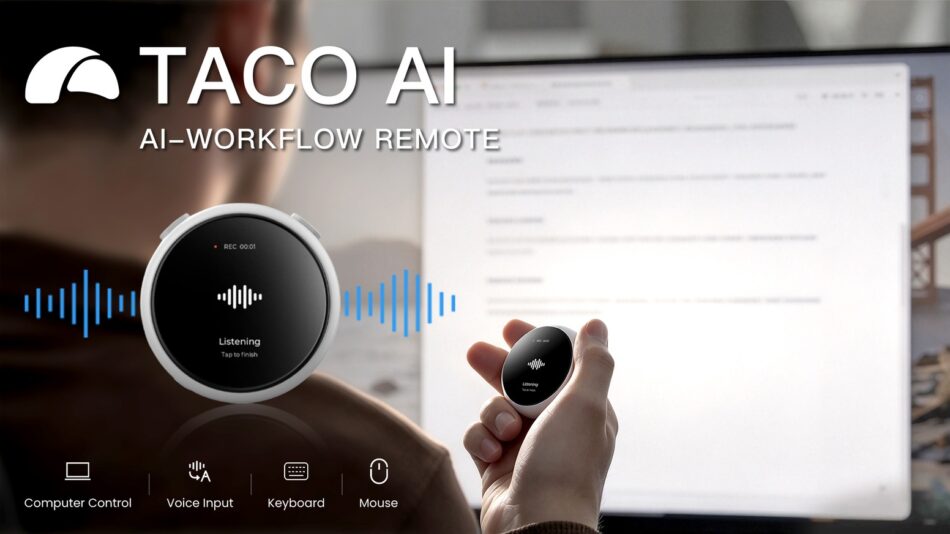
Speak naturally. TACO turns your words into clear, polished writing in the apps you use & keeps the next action within reach.
Check on Kickstarter
Meet TACO AI


TACO AI is a handheld voice remote that turns talking into text and action. Hold it, speak, and your words are transcribed into polished text or a command our AI agent carries out for you.
Use the tactile hardware buttons to submit or delete text, and the OLED touchscreen to move the pointer, scroll through a document, or switch apps. No typing, no hunting through menus.


It's a third way to work alongside your keyboard and mouse: dictate a reply the moment the thought lands, hand a task to an AI agent without breaking stride, or just think out loud and let TACO AI shape it into something usable.


With Taco in one hand, you can navigate by touch and put your voice to work: say what you want to write, or tell Taco what you want done. It’s a more natural way to interact with your devices.


Lean back and work on your terms. With Taco in hand, you can work more comfortably, stay in control, and get more done with fewer interruptions.


Get 20% Cash back on every TACO AI pledge made through your referral link.


Press and hold the Action Button, say what you need in a plain language, and let Taco’s AI agent do in seconds what might take you minutes or even hours – whether it’s opening an app, finding information, or drafting content.
Taco’s AI agent builds up a memory of you, so it gets better the more you use it. When it's unsure, it asks for clarification, and gets your permission before taking important actions.

One-Handed Control, Replace your mouse


Use your thumb to move the cursor, click, and scroll through long documents or conversations on your computer.


Tap on your recent apps on the TACO touchscreen to bring its window to the front. You can also customize the on-screen buttons for shortcuts you use often.

4x Faster Than Typing

Dictating emails, messages, documents, code, and AI prompts straight into the field you're working in. For anything longer than a few words, speaking it out loud beats typing character by character — on compatible desktop and mobile devices alike.
Speak Naturally, Taco Polishes


Talk the way you actually think — trail off, circle back, correct yourself mid-sentence. TACO AI strips out the filler words and false starts and cleans up the self-corrections, so what lands on the page already reads like a first draft, not a transcript. A single tap on the Action Button directly sends or submits the text.


TACO AI intelligently understands the context and shapes the wording and format to match – more formal for an email, shorter for a message, structured for meeting notes, direct for an AI prompt.


Draft an email in Gmail, reply to a message in Slack or iMessage, or capture an idea in Notion. You can also dictate prompts directly into ChatGPT, Claude, or Cursor. TACO AI works anywhere you can type.
In Every App, on Every Device

Ergonomic Design


You don’t have to keep staring at your screen or stay at your desk. Lights and haptics let you know when a new notification arrives on your computer. That could be a new message, a calendar reminder, or an update from an AI agent.
When a supported AI app like ChatGPT/Codex or Claude asks for approval, you can also approve or deny the request right on the OLED touchscreen.
See When it is Done


With a built-in microphone array and hardware and software noise reduction, TACO is tuned to pick up close-range, low-volume speech while suppressing background noise.
Whether you whisper in a quiet room or speak in a noisy subway, TACO is designed to accurately capture every word. In test conditions, speech recognition accuracy reaches up to 98.7%.

Stay Local, Stay Vocal


Wireless charging makes it simple to top up TACO: simply place it on a wireless charger. A full charge provides approximately 12 hours of standby time, and a full recharge takes about 1.5–2 hours.


What's in the Box

Rewards

PAYMENT OPTIONS
Pay in Installments (Pledge Over Time)
We are excited to support Kickstarter’s official Pledge Over Time feature! For eligible rewards, you can split your total payment into 3 equal monthly installments with 0% extra fees or interest.
Order Locking:
Once your first installment is successfully processed, your order will be locked in our system.
Installment Policy & Disclaimer:
Please note that all 3 monthly installments must be successfully completed to qualify for reward fulfillment. If any subsequent installments fail, are canceled, or remain unpaid, previously paid installments are non-refundable, and the reward will not be shipped.
Priority Shipping
Backers who choose to pay in full upfront will enjoy priority shipping, as their payments and orders are fully cleared immediately upon campaign completion. Orders using Pledge Over Time will be queued for shipment as soon as all 3 installments are fully settled.


