
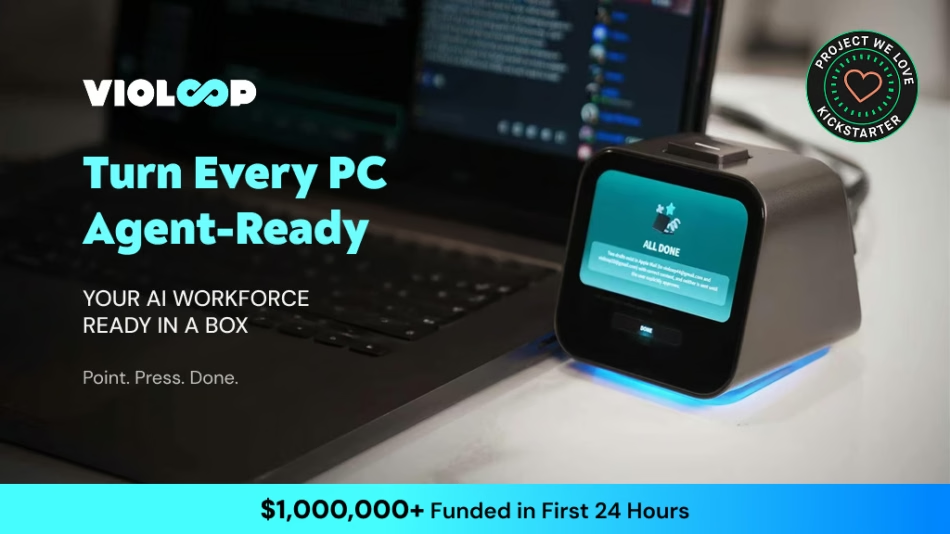
Turn every PC agent-ready with plug-in AI that reads your screen, prepares tasks, and waits for your approval.
Check on Kickstarter


Today’s AI can answer questions, generate content, and offer suggestions—but most of it still lives inside a chat box. You have to recognize the problem, write the right prompt, copy the result, switch between apps, and complete the task yourself. Every new app requires another integration. Every new session starts with missing context. And when an AI agent is allowed to take action, trusting it with your screen, files, and accounts becomes a new concern. AI has become more capable—but for most people, it still hasn’t become truly usable.


Violoop is built for people whose work spans multiple apps, involves repetitive computer tasks, and depends on context that ordinary AI assistants often forget.

For people doing the work of an entire team.
Founders and small-business owners constantly switch between email, documents, spreadsheets, browsers, messaging tools, and internal systems. Much of their day is lost moving information between apps, following up on unfinished tasks, and handling routine operations.
How Violoop helps:
- Prepare daily priorities from ongoing projects and conversations
- Organize documents, rename files, and update spreadsheets
- Draft emails, proposals, quotations, reports, and follow-ups
- Compare products, suppliers, prices, and service options
- Track task progress while the user is away from the computer

For people whose results depend on timing, context, and consistent follow-up.
Sales professionals work across CRM platforms, email, calendars, LinkedIn, spreadsheets, and messaging apps. Important customer details are often scattered, while repetitive research and data entry consume time that should be spent building relationships.
How Violoop helps:
- Research prospects and organize relevant company information
- Prepare personalized outreach using existing customer context
- Update CRM records and maintain lead-tracking spreadsheets
- Summarize conversations and identify the next best action
- Draft follow-up emails, meeting notes, and proposals

For people managing high-volume workflows across disconnected tools.
Marketers, creators, and e-commerce operators constantly move between research, content platforms, asset folders, analytics dashboards, online stores, and social channels. The creative work matters—but much of the day is spent on coordination and repetition.
How Violoop helps:
- Research markets, competitors, trends, and audience feedback
- Organize campaign materials and content assets
- Prepare product descriptions, briefs, posts, and reports
- Transfer information between documents, spreadsheets, and web platforms
- Track campaign performance and summarize key changes
- Prepare uploads or publishing tasks, then wait for final approval


Violoop doesn’t wait for you to craft the perfect prompt before it starts working. It first determines what you’re working on, then proactively prepares the most relevant next steps. Instead of starting with “What should I ask?”, you can choose directly from a set of ready-to-use actions.


Violoop is recognized by the computer as a standard mouse and keyboard via USB HID. This allows it to operate the user’s computer through real keyboard and mouse inputs—without relying on software APIs. It can complete complex cross-application and cross-platform workflows across the user’s existing apps, browsers, documents, spreadsheets, system tools, and more. Violoop has been pretrained to work with hundreds of software applications, so users do not need to configure or adapt each application individually.


Violoop gradually organizes your conversations, on-screen activity, project materials, and usage patterns into a persistent personal context stored locally on the device. Over time, it learns how you work—including the resources you frequently use, the people you collaborate with, your preferred workflows, naming conventions, and confirmation habits—so it can pick up where you left off the next time you work together.


Violoop features a dual-chip architecture built around a main processor and an independent security MCU. The RK3576 octa-core processor and dedicated AI accelerator handle screen understanding, on-device models, and task planning, while the STM32 security chip controls USB HID keyboard and mouse operations and the physical confirmation button.


Users can monitor their home computer in real time through the mobile app, remotely send instructions to Violoop, and approve or reject sensitive actions. The app displays the computer screen in real time, along with task lists, execution plans, progress updates, and other task-related information.


Inside the box youll find a Violoop device, a user manual, and two cables. The user manual covers the device specifications, features, setup, connections, and safety information. The included cables are a USB-C power cable, and a USB-C to USB-C OTG cable.


Connecting Violoop to your computer with the Type-C cable allows your computer to recognize Violoop as a standard keyboard and mouse. Connect the power cable, and Violoop will automatically power on and enter pairing mode. Then install the Violoop app on your computer to complete setup. The two USB-C ports on the back of Violoop are clearly labeled. Make sure each cable is connected to the correct port.


Download the Violoop app from our official website Violoop.ai. After installation, you need to create your own account and complete the initial setup, including network, permissions, and API configuration etc. The entire process takes about 3 minutes and requires zero coding. Once setup is complete, you’re ready to use Violoop.


We’ve been testing a practical question: can a small, fast decision model make computer-use workflows more responsive? Our approach pairs Violoop‘s computer-use harness with Jev. The harness narrows what’s on screen to a short list of valid actions, and Jev picks the next one. We tried it in four live team runs across QuickBooks, Tetris, comment triage, and form entry.
In the QuickBooks run, Jev finished in 127.3 seconds versus 978.9 seconds for Claude Opus 5.5 using the same harness, about 7.7x faster. Estimated model usage cost was roughly 500x lower.

Violoop combines an RK3576 octa-core processor with a dedicated AI accelerator, delivering up to 26 TOPS of on-device AI compute. It runs a Qwen 8B Q4 model locally at up to 53 tokens per second and has been trained to work across more than 200 applications. Its visual system is tested against more than 10,000 real software screens, while HDMI 2.0 provides up to 4K at 30 Hz screen capture. Local processing can reduce unnecessary cloud-model calls by approximately 90%, while long-term personal memory remains stored on the device.


